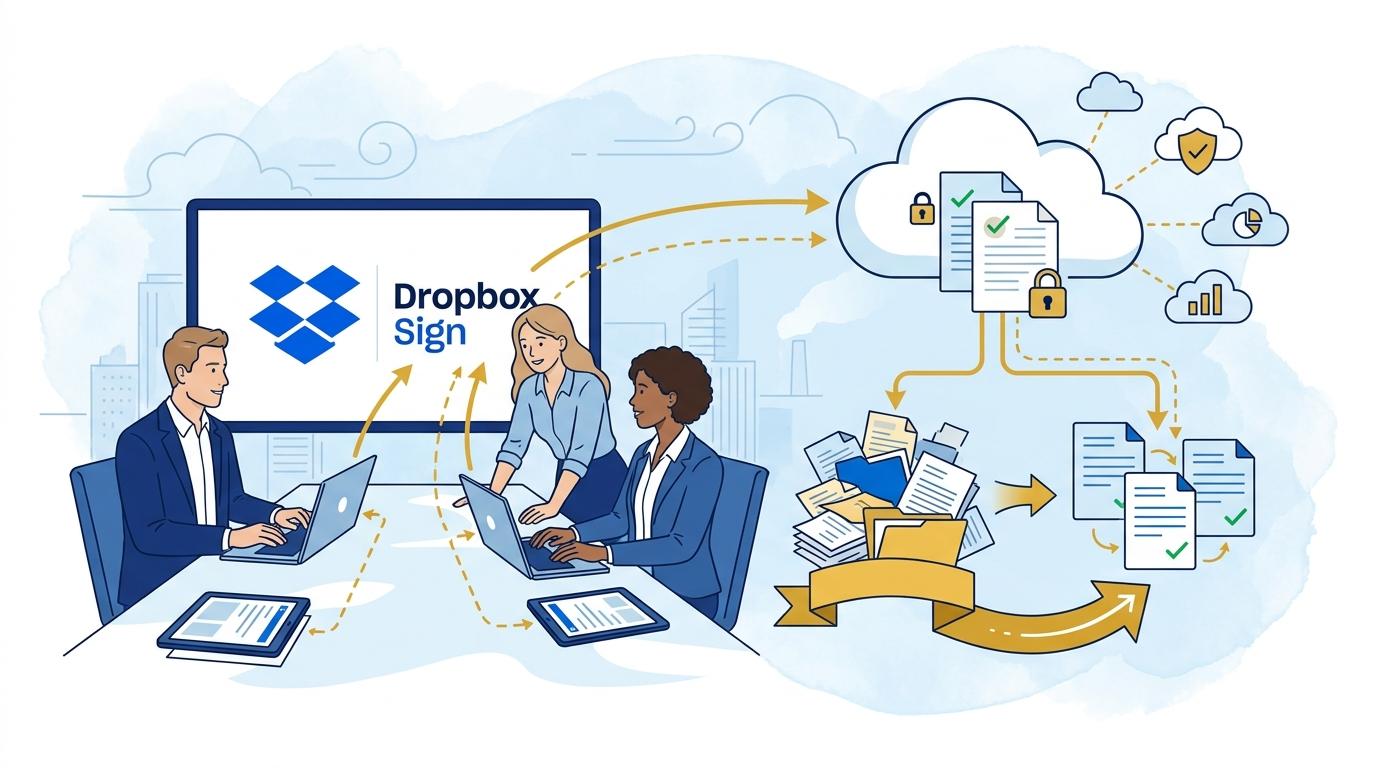
Imagine a typical morning in a large law firm. Piles of papers, contracts needing immediate signatures, shifting deadlines, and clients pressing for swift resolution. Scanning, printing, and manually passing around documents is still the daily norm for many lawyers. This often results in unnecessary stress—missing versions, double-signed copies, and confusion over the latest version of a contract. As a result, the foundations of efficient client service—speed, certainty, and transparency—begin to crumble.
In this reality, the question arises: is there a better way? Can law firms eliminate document chaos without complex IT deployments or high costs? Over recent months, lawyers globally have increasingly adopted digital workflows, with Dropbox Sign becoming one of the most popular tools. Modern platforms for electronic signing and document management not only speed up processes but also dramatically increase the level of security and control over the circulation of confidential data.
In this article, I’ll show how Dropbox Sign helps law firms take control of documentation, boost efficiency, and ensure compliance—from the first client contact through safe archiving of cases. I’ll present real-world usage scenarios and the latest features that make Dropbox Sign an indispensable tool for modern legal professionals.
Challenges Law Firms Face with Traditional Document Workflows
A law office produces and processes dozens, sometimes hundreds, of contracts, powers of attorney, statements, or protocols daily. In the traditional model, each document requires manual preparation, printing, signing by the appropriate parties, and storage. Even a minor error or delay can disrupt client appointment schedules or court deadlines.
A key issue is lack of control over document versions. Frequent changes, edits by different people, and email communication lead to disorganization. Lawyers risk signing outdated versions or, worse, sending them to the opposing party.
Security is just as important. Physical documents can be lost or destroyed. Digital versions sent by email are vulnerable to interception or unauthorized access. There are also challenges regarding GDPR compliance and legal archiving requirements.
Dropbox Sign – What Does a Law Firm Gain from Digital Signatures?
Switching to a digital workflow with Dropbox Sign instantly solves the biggest pain points of traditional document management. First, every contract or letter can be prepared as a template and automatically filled with client data, then sent for electronic signature in minutes—without printing or the physical presence of the parties.
Dropbox Sign provides strict version control. Every change is logged, and the edit history is available to authorized users. This minimizes the risk of signing outdated documents and simplifies managing changes, even during complex negotiations.
Another effective solution is real-time document status tracking. Lawyers see instantly who has signed and when, and can send automatic reminders to parties who are delaying. All processes comply with international security standards, confirmed by numerous certifications (including ISO 27001, eIDAS, and GDPR compliance).
Reducing Case Handling Time and Operational Costs
With Dropbox Sign, law firms cut case handling time by up to several dozen percent. Instead of waiting for signed documents to return by mail or courier, signatures can be collected online—often within minutes of sending. This is especially crucial for urgent court matters or negotiations requiring immediate action.
Automating the signing process also leads to tangible savings. Law firms reduce costs for paper, printers, office supplies, and administrative labor. Over time, they also need less storage space, as documents are securely kept in the cloud.
Financial benefits include not just lower operational expenses but also the ability to handle more cases in less time. This increases a firm’s competitiveness and responsiveness to demanding clients.
Security and Compliance in Legal Practice
Dropbox Sign puts great emphasis on data security and legal compliance for handling confidential information. Thanks to robust encryption (both in transit and at rest) and detailed audit logs, every document operation is precisely recorded and accessible for oversight.
Firms can use advanced access management—permissions are set individually, and any attempt to view or download a document by unauthorized users is logged immediately. Dropbox Sign meets all GDPR requirements and key international legal standards for electronic signatures.
In case of disputes or audits, documents and their edit histories are instantly available, serving as valuable evidence. This is invaluable support for lawyers focused on process transparency and client security.
Solutions for Hybrid and Remote Work in Law Firms
After COVID-19, many law firms had to switch to remote or hybrid work. Dropbox Sign fits this model perfectly, enabling lawyers and clients to sign documents securely from anywhere—via desktop or mobile devices.
Remote collaboration requires not just fast signing but also secure document exchange and storage. Dropbox Sign makes it easy to share files or entire case folders with clients and team members, with full access control and the ability to instantly revoke permissions if needed.
This feature is particularly important for firms serving international clients or engaging in negotiations that require quick decisions and multi-party collaboration.
Dropbox Sign Use Cases in a Law Firm
Dropbox Sign offers law firms a range of practical features and use scenarios that streamline daily work. The most common include:
- Preparing and signing civil law contracts, NDAs, powers of attorney, and notarial acts—with a single click, no printing or scanning required.
- Automatically setting signature order—e.g., first client, then lawyer, then notary or firm partner.
- Managing document templates—quickly generating repetitive letters without manual filling and editing, all in line with regulations.
- Instant notifications about signatures or delays—easy monitoring of document status and automatic reminders for parties.
- Secure document archiving—every contract, annex, or protocol is stored in the cloud, ready for instant download or client sharing.
With these features, a law firm can handle more cases, manage documentation better, and provide a higher level of client service.
Summary
Dropbox Sign radically transforms law firm operations, eliminating paper document chaos, speeding up signatures, and boosting security. Electronic document workflows are no longer the future but the everyday reality of any modern law firm seeking to stay competitive and efficient.