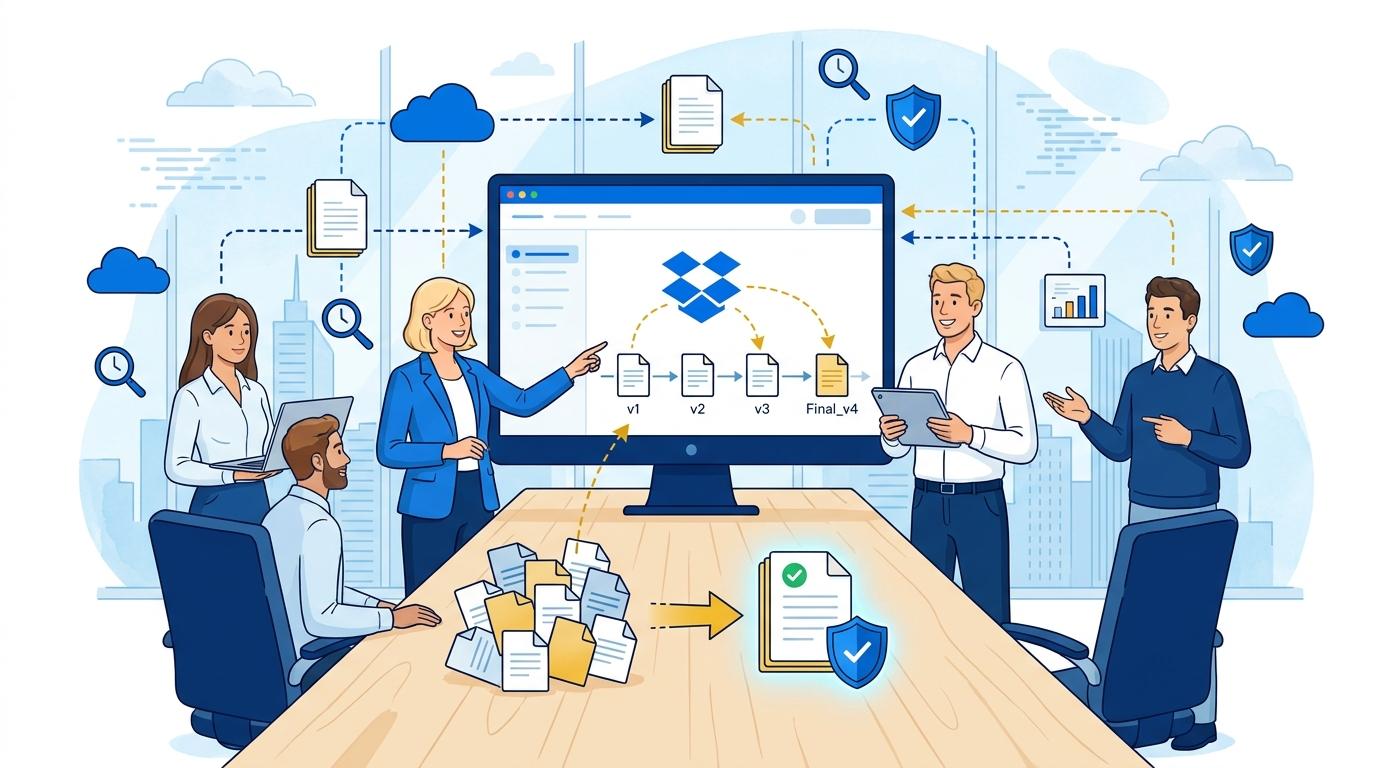
Imagine a typical Monday morning at a creative studio or marketing agency. Someone from the team asks for the final version of the presentation you’ve been working on all week. You receive messages from several people—each sending a different file, with names like “final”, “final_v2”, “last-edit”, “urgent_NOW”. You’re left wondering which file is truly the final one, and whether any critical changes submitted in the last few hours have been lost in the chaos. The team spends more and more time searching for the right documents, and frustration grows with every new correction.
This is the daily reality for thousands of creative teams, where the pace of work and number of project iterations are enormous. Every client change, every colleague’s input, every stylistic tweak—each creates a new version that can easily get lost in a sea of emails and chat messages. Time spent hunting for the right file or recreating lost progress turns into real financial and reputational losses. Is there a way to regain control over versions and move beyond chaotic file management?
This is where Dropbox Version History comes in—a powerful tool for tracking and restoring file versions, allowing creative teams to work faster, more confidently, and without chaos. In today’s post, we’ll explore how Dropbox Version History solves real problems for creative teams and why it should be the foundation of modern project work.
The Biggest Enemy of Creativity: Lost Changes and Wrong File Versions
Frequent edits, rapid iterations, and multiple people involved in a single project—that’s business as usual in the creative industry. In these conditions, confusion, accidental overwrites, and even critical data loss are all too common.
Lack of a clear versioning system leads to multiple copies of the same document. It’s often unclear which version has the latest client feedback or the creative director’s most recent notes. As a result, teams waste time painstakingly searching folders—or worse, recreating lost work from scratch.
Dropbox Version History offers a solution: it automatically saves every version of an edited file and lets you instantly revert to any point in the creative process. This empowers teams to experiment without fear of losing progress. If something goes wrong, you can always recover a previous version with a single click.
Dropbox Version History in Practice: How Does It Work and What Changes for Teams?
Dropbox Version History works in the background, requiring no extra effort from users. Every time a file is saved or overwritten, the system automatically creates a new version. Version histories are stored for 30 days (on Dropbox Standard) or even up to 180 days (on Dropbox Advanced and Enterprise).
With Version History, you can:
- Quickly see who made changes and when, and review exactly what each file version looked like.
- Compare any two versions of a document—a crucial feature for teamwork and client approvals.
- Restore previous versions in seconds, even if someone accidentally deleted or wiped important content.
This means that even with several people collaborating intensively on a single file, there’s no need to worry about overwrites or lost work. Dropbox Version History also lets you recover deleted files, often saving a project from disaster.
Benefits of Dropbox Version History for Creative Agencies and Freelancers
Today’s creative market demands not only speed, but also flexibility. Dropbox Version History meets these needs with a range of advantages for large agencies, freelancers, and small project teams alike.
- Eliminates version chaos—no more emailing files with “final”, “edit”, or “client version” in the name.
- Saves time—quick access to previous versions means faster edits and fewer team misunderstandings.
- Greater work security—the risk of losing key data is almost zero, even when working with graphics or large video files.
- Confidence in client collaboration—the ability to revert to an approved version in case of disagreements.
Version History also introduces transparency into creative processes, which is increasingly important when working with external experts or partners across time zones.
How to Implement Dropbox Version History in Your Team? Sample Workflow
Implementing Dropbox Version History requires neither advanced technical know-how nor lengthy team training. Just use Dropbox as the main platform for storing and editing files.
A sample workflow looks like this:
- Create and share a project folder in Dropbox with all team members and clients—setting proper access permissions.
- Work on a single shared file—every change is automatically saved as a new version in Version History.
- During reviews or corrections, easily compare versions and revert to earlier stages if needed.
- In case of accidental deletions or overwrites, instantly restore the lost version without IT support.
This approach greatly simplifies project documentation management, minimizes errors, and speeds up teamwork.
When Does Dropbox Version History Shine? Usage Examples
Dropbox Version History is indispensable not only in creative agencies, but also for marketing, production, and educational teams. Here are a few practical use cases:
- Major marketing campaigns with many people collaborating on a single graphic or presentation—Version History lets you track and undo changes as needed.
- Video production—gives you control over all editing stages and allows quick rollbacks if a client requests a previous version.
- Remote and distributed teams—makes it easy to synchronize and ensures everyone has access to the latest document versions.
Just as importantly, Dropbox Version History supports a wide variety of file types—from text to graphics, video, and audio—making it a universal tool for most industries.
Summary
Dropbox Version History is a simple yet highly effective solution for creative teams seeking control over file versions and less workplace stress. Automatic versioning, easy restores, and full transparency make it a must-have for every modern agency or freelancer.